Observatory
What Opal does
Opal is a screen-time app. You choose apps and websites to block, set schedules or start a focus session, and Opal stops those apps from opening until the session ends. It has a Focus Score, reports on time saved, and a community and coaching side. If your problem is that certain apps pull you in the moment you unlock your phone, blocking them is a direct fix, and Opal is one of the best-known apps doing it.
What Observatory does instead
Observatory doesn't block anything. You start a session on one task, a quiet scene moves behind the timer, and the app records what happens: how long you stayed, when you drifted to another app, when you paused. Drifts and pauses are shown to you and never counted as focus. Over weeks it reports patterns in plain words, such as when you focus best and how long your sessions really run, and a weekly review shows what changed.
The difference is in what you learn. A blocker stops the behaviour; a measure shows it to you. Some people need the first. Many people, once the worst apps are handled, need the second.
Side by side
| Opal | Observatory | |
|---|---|---|
| Core idea | Block distracting apps and sites | Measure real focus on one task |
| Leaving for another app | Blocked apps won't open during a session | Recorded as a drift, shown, never added to focus time |
| What you learn | Screen time and time saved | On-task rate, drift rate, when you start, how deep your sessions run |
| Tone | Guardrails and scores | Calm feedback; a quiet day is a lighter stretch, not a failure |
| Insights | Reports and a Focus Score | Written patterns from your own sessions; says "not enough data" rather than guessing |
| Tasks and projects | Not the focus | Focus time per project and task, estimate versus actual |
| Platforms | iPhone, with a desktop extension | iPhone only |
| Price | Free tier and a paid Pro plan; see the App Store listing | Free to start; Premium $7.99/month, $49.99/year or $129.99 lifetime |
Opal details from its public website and App Store description, checked September 2026. If something has changed, tell us and we'll correct it.
When Opal is the better choice
- You open certain apps compulsively and want them physically out of reach.
- You want blocking on a schedule, such as every evening or every work morning.
- You want community features or coaching.
When Observatory is the better choice
- You find blocking heavy-handed, or you keep switching it off.
- You want to know how much of your "focus time" was really focus.
- You work on named tasks and projects and want time per task.
- You'd rather be shown the truth calmly than be locked out.
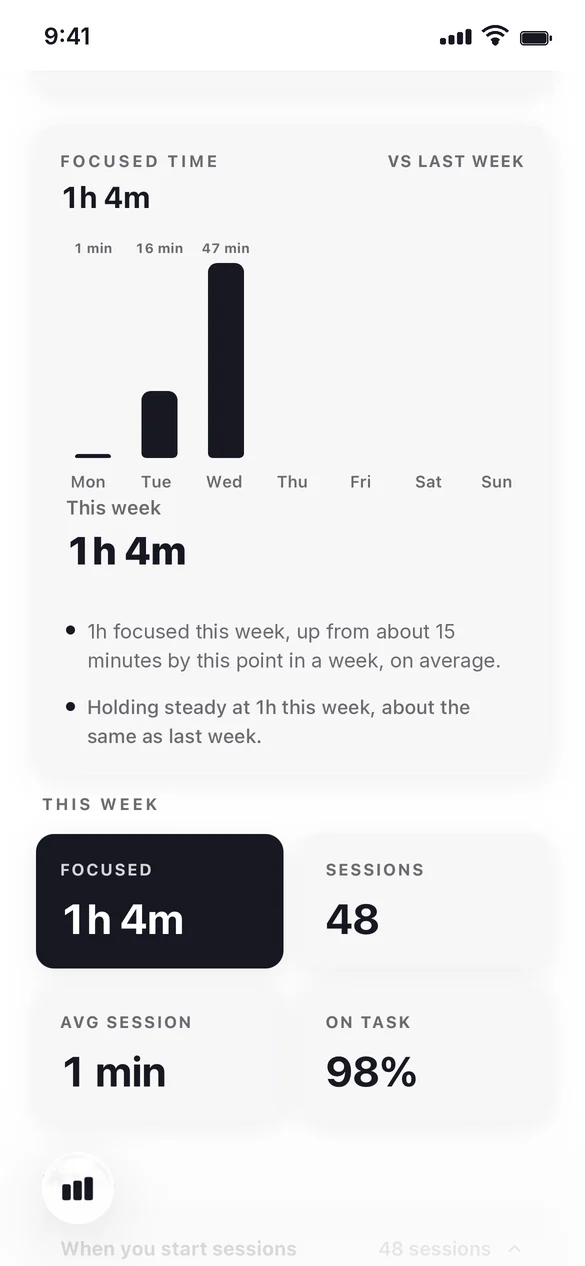
Screens are from a test account.
Questions
Does Observatory block apps like Opal does?
No. Observatory doesn't block anything. It runs a focus session on one task and records when you leave, so you can see your drifts honestly rather than being locked out.
Can I use both?
Yes. Some people use a blocker to remove the worst distractions and Observatory to measure and improve their focus on what's left. They don't conflict.
Which is free?
Observatory's focus timer, week and month stats and a few projects are free, with Premium for the full companion. Opal has a free tier and a paid Pro plan; check its App Store listing for current prices.